


App
App

Check in guests directly via smartphone, scan QR codes quickly, and manage attendees on site. The eyepin App supports your event team with flexible access control and integrates seamlessly into existing check-in processes.



With the eyepin App, you can add a mobile solution for smartphones and tablets to your existing check-in setup. Your event team has guest lists, check-in functions, and up-to-date attendee information at their fingertips and can work flexibly wherever guests arrive. This makes it easy to set up additional access points and manage visitor flows efficiently.
The eyepin app* is set up and ready to use in just a few steps. After downloading the app, connect your smartphone or tablet to the event. You can then choose the event and define the check-in area where the device will be used. After that, you can start scanning QR codes and checking in guests right away.
* Only available in combination with the eyepin Event Tool and an activated check-in function.
1. Download the app
Download the eyepin app from the Apple App Store or Google Play to your smartphone or tablet.
2. Pair your device
Open the app and select “Pair Device” to connect your device to the desired event account.
3. Scan the pairing QR code
Open your event dashboard and scan the displayed pairing QR code using the app.
4. View available events
After successful pairing, all published events for which you have the required permissions and where check-in is enabled will automatically be displayed.
5. Create a login PIN
Set up your personal login PIN. This allows you to quickly access the app and your connected events later.
6. Select and download an event
Choose the desired event and download the event data to your device.
7. Select a check-in area
Define where the device will be used by selecting the appropriate program item or access area, for example Day 1, Day 2, Workshop, or VIP Area.
8. Start check-in
You are now ready to go. Start the check-in process and scan guests’ QR codes directly with your smartphone or tablet.
Use the eyepin App for mobile check-in via smartphone or our professional event hardware for fixed check-in stations. Both solutions enable a reliable check-in process and can be used independently or flexibly combined, depending on your event.
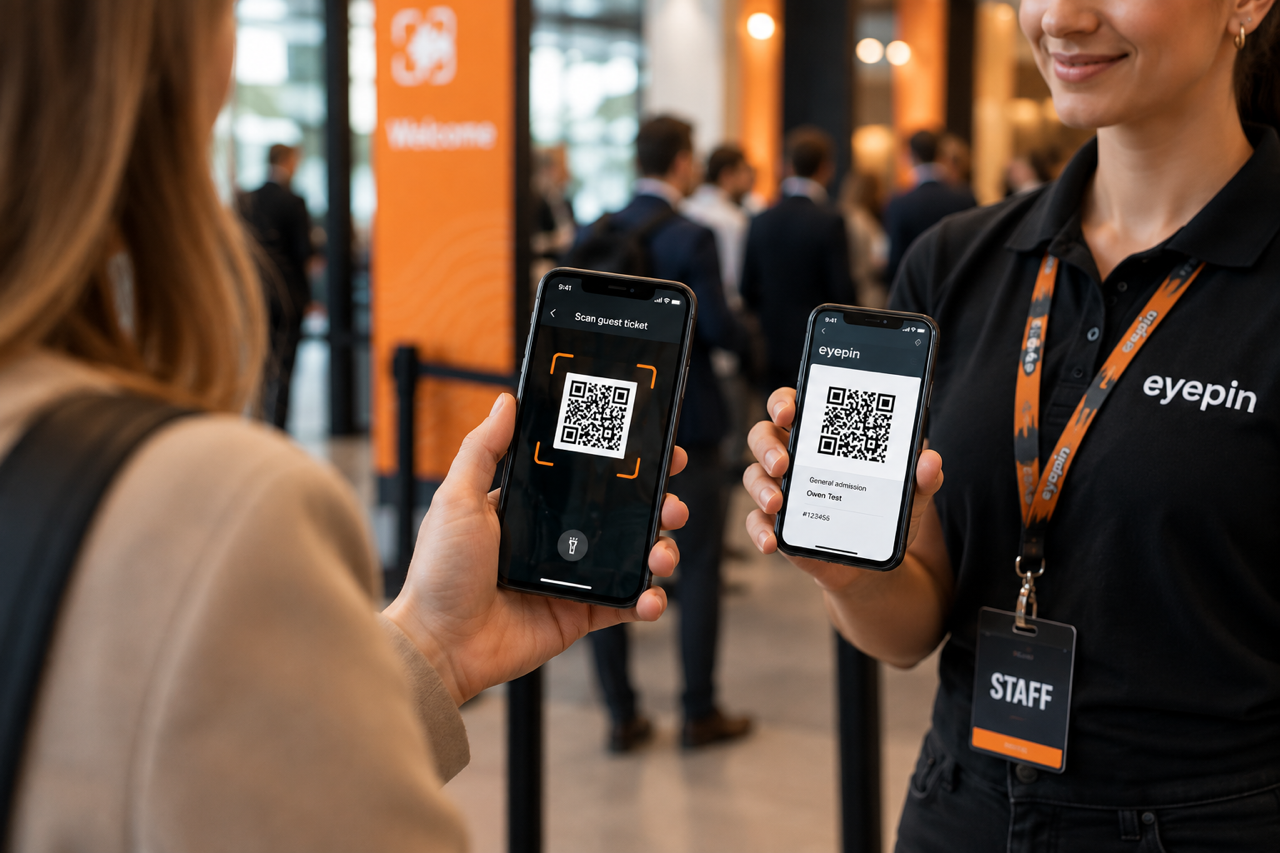
Scan QR codes on tickets and invitations directly with your smartphone camera. The eyepin App identifies the attendee, displays the current check-in status, and enables immediate on-site registration. This allows guests to be checked in quickly and easily, while your event team always has a clear overview of who has already arrived and who is still expected—without the need for an additional handheld scanner.
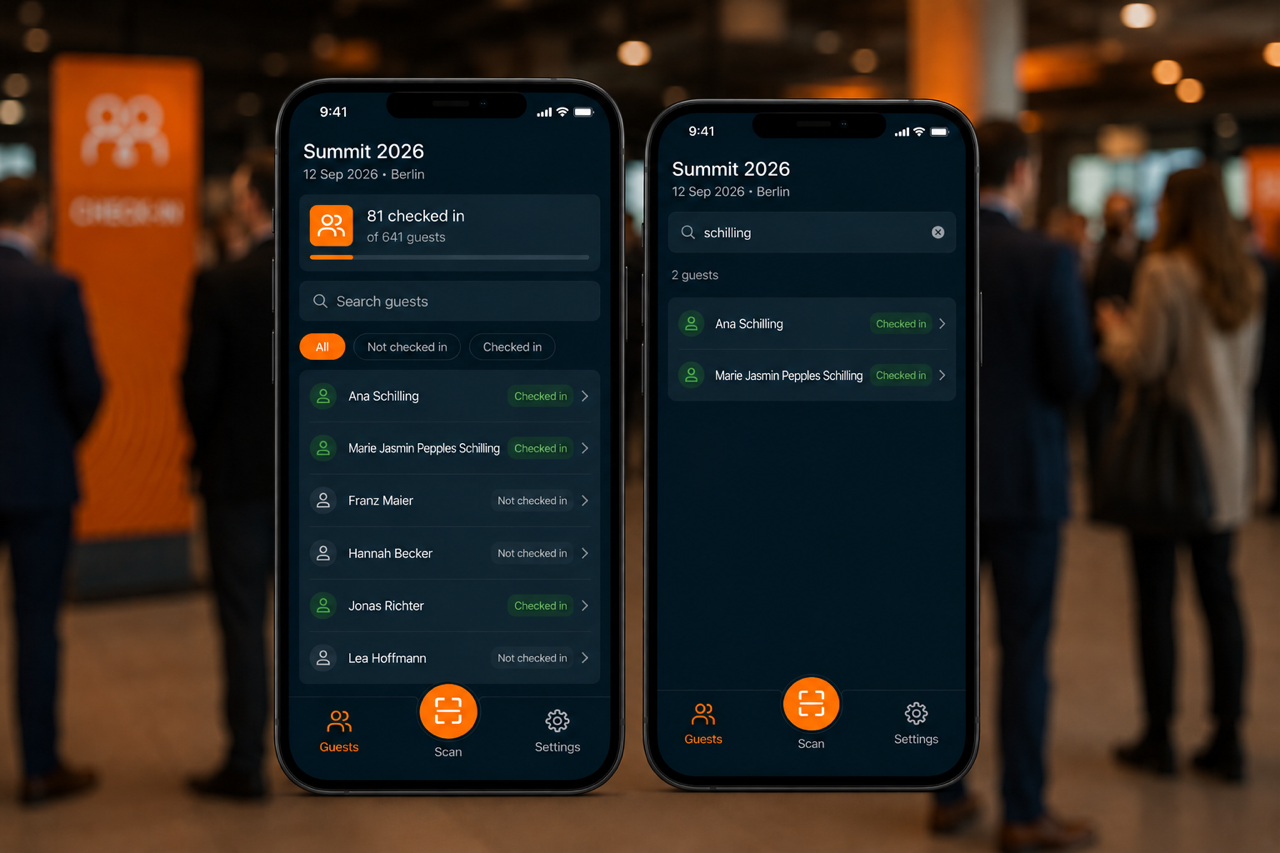
Use the digital guest list to quickly find attendees even without a QR code. Search for individual guests, check their current check-in status, and check them in manually when needed. Changes are updated directly in the app, ensuring your event team always works with up-to-date attendee information and keeps a clear overview of arrivals and pending check-ins.
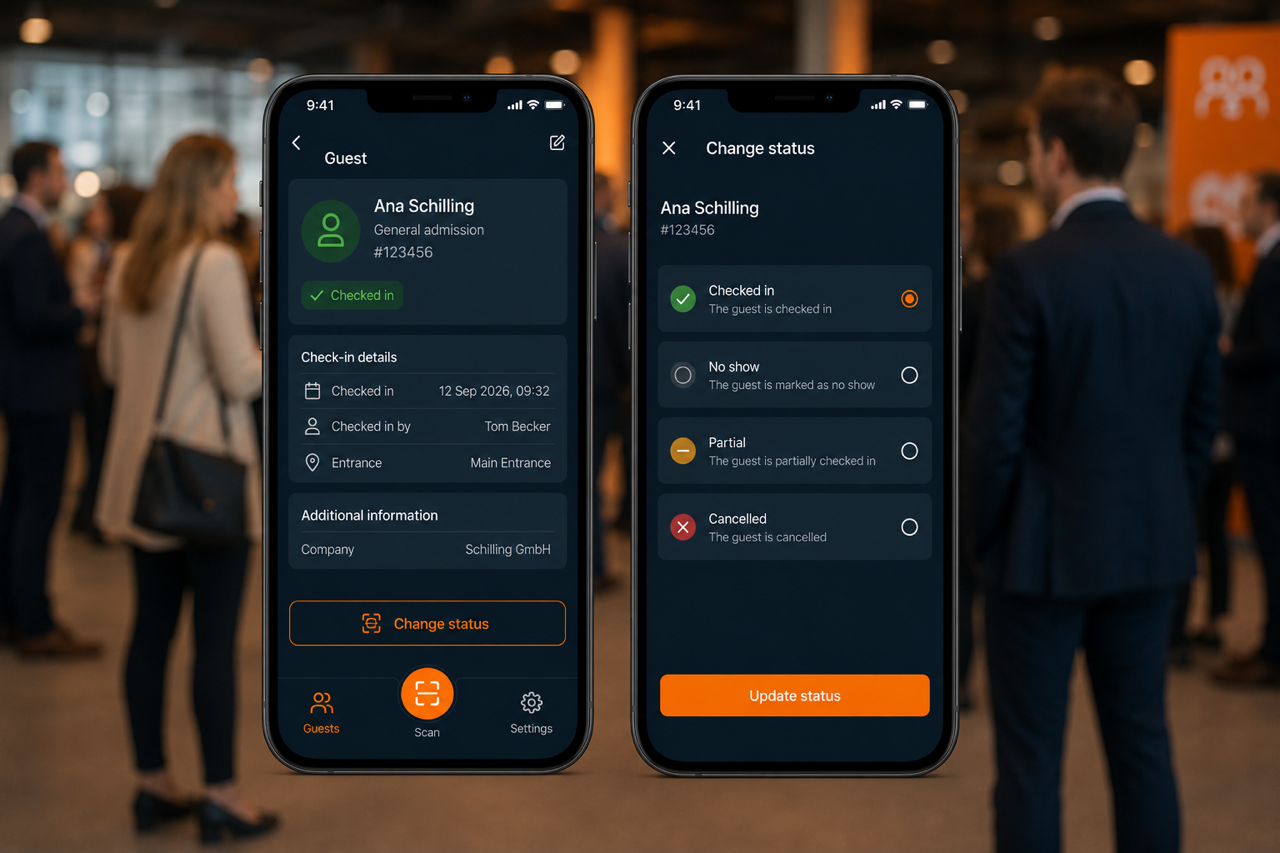
Not every check-in follows the same process. That’s why you can review, update, and manually adjust an attendee’s status directly on site whenever needed. This allows your event team to respond quickly to last-minute changes, special cases, or late arrivals. All information remains clearly available, so you always know which guests have already checked in and where further action is required.
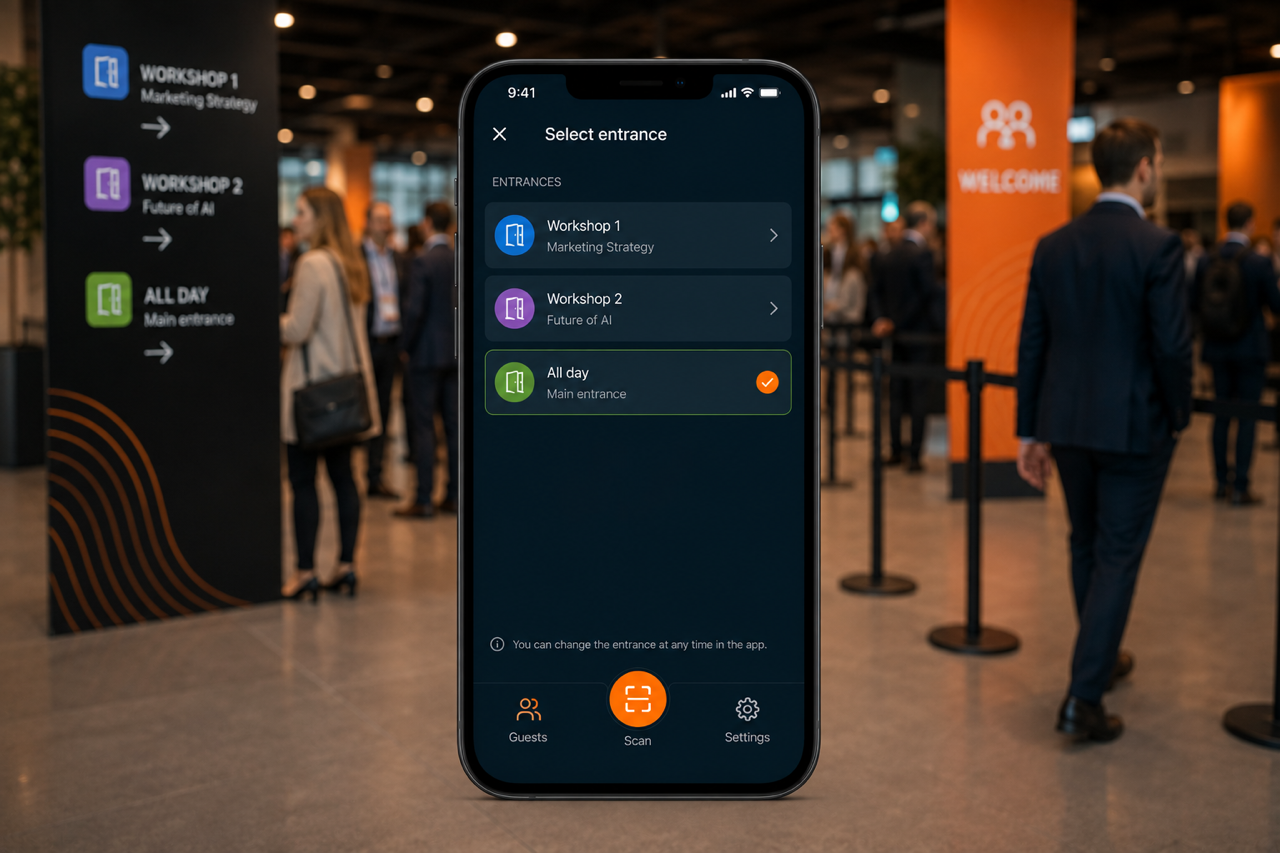
Organize check-in to match your event setup. Select different entrances, event days, or individual sessions and provide your team with exactly the guest data needed at each check-in point.

Distribute check-in across multiple team members and mobile devices—for example, at the main entrance, individual sessions, or different event areas. Your team stays mobile and is no longer tied to fixed PC workstations or additional scanners.
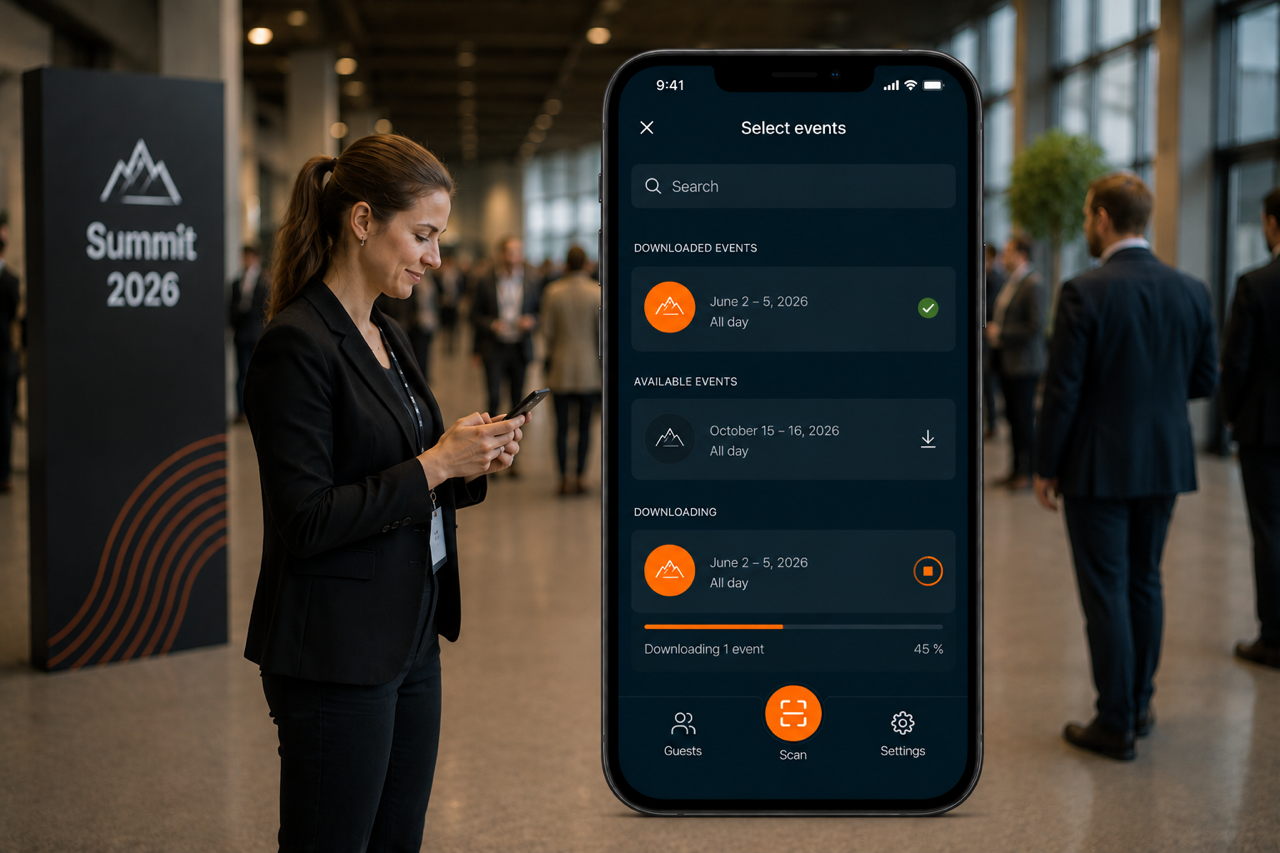
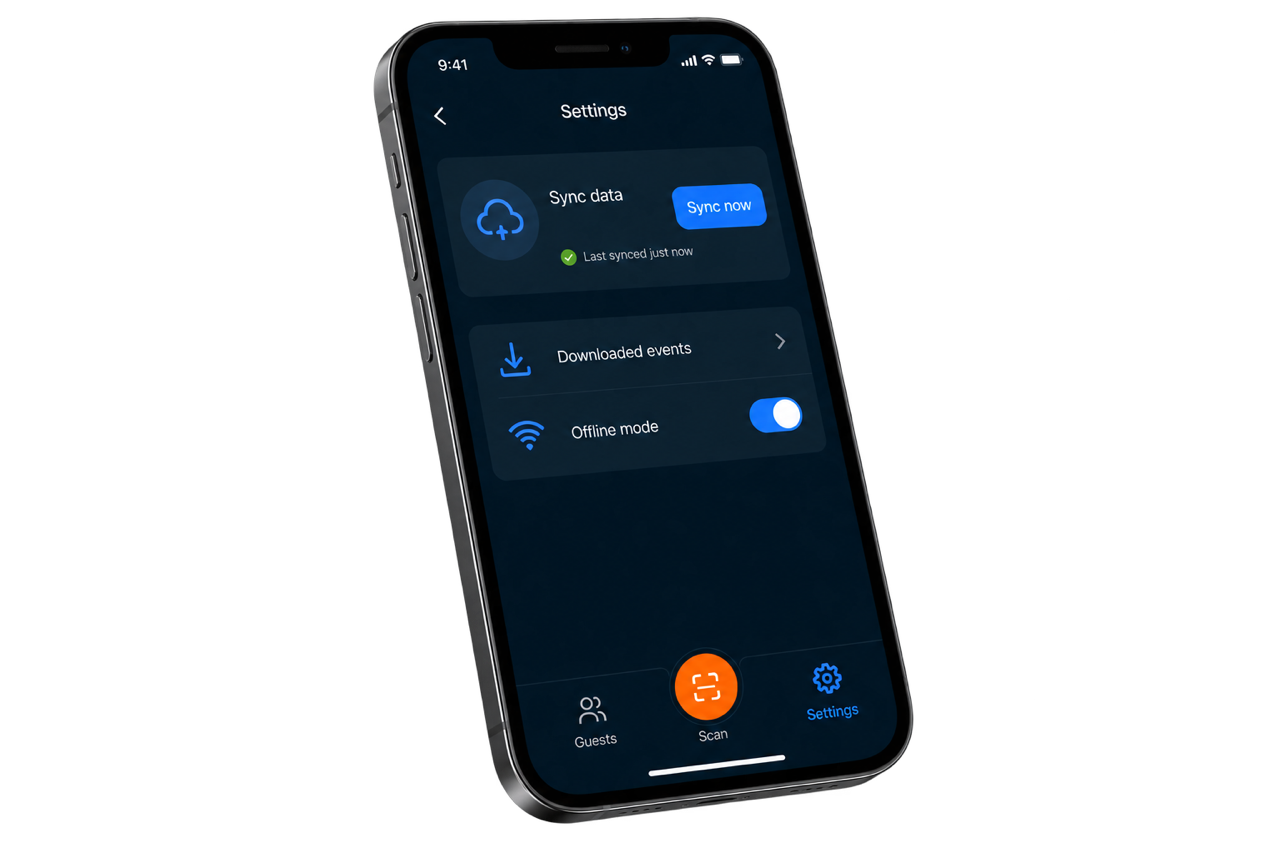
Synchronize event and check-in data directly through the app and keep attendee statuses up to date across all devices in use. This gives your team a reliable overview of the current status, even when managing multiple check-in points.
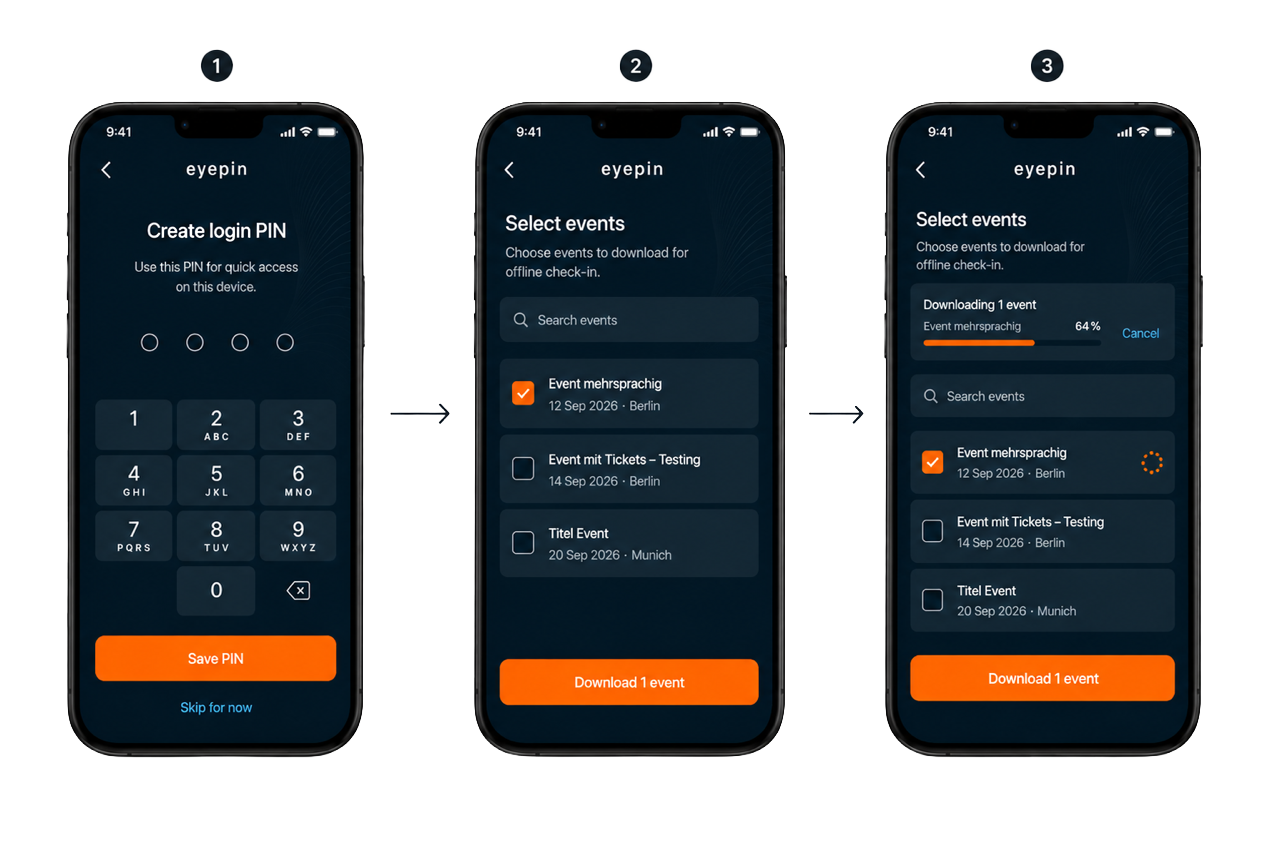
Simply connect the mobile device to your event, select the required events and check-in areas, and your team is ready to get started. A personal login PIN then provides quick access on the respective device.
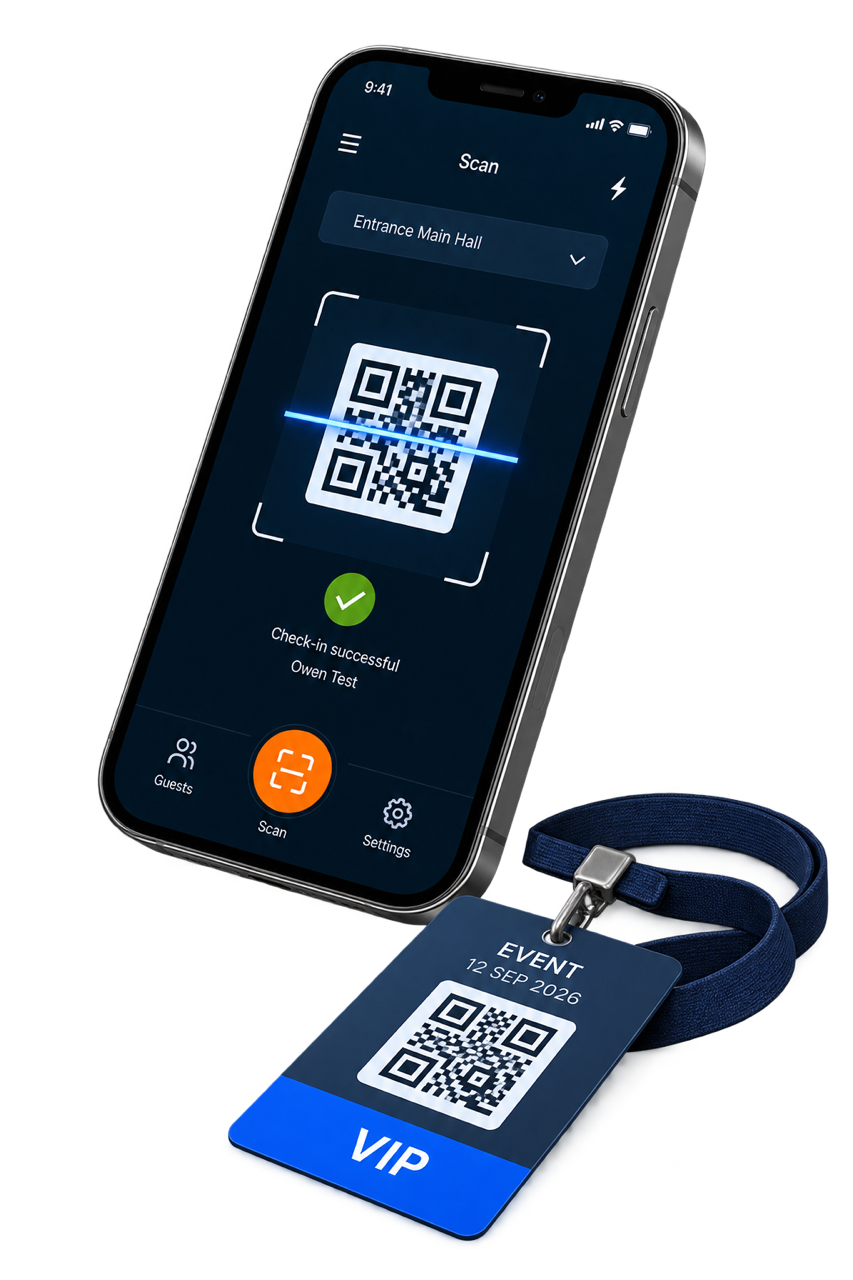
With the eyepin App, guest lists, QR code scanning, and attendee status are always available on your smartphone or tablet—for fast, mobile, and hassle-free check-in.