


eyepinBlog_App
Mobile Event Check-In: How App, Software, and Hardware Work Together
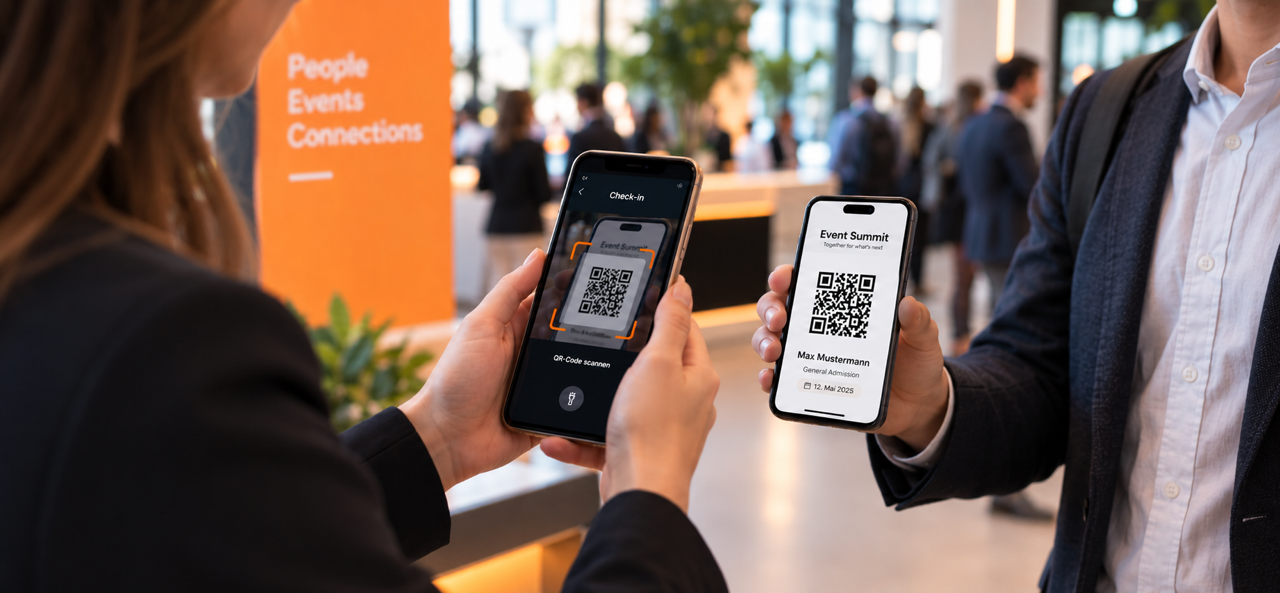
A modern event check-in should be flexible, fast, and reliable. The eyepin App enables mobile check-in via smartphone or tablet and can be combined with professional event hardware to create the right setup for every event.
Check-in is one of the most important moments of an event. For many guests, it is the first personal interaction on site – and therefore an essential part of the first impression. Long waiting times, confusing guest lists, or technical difficulties are particularly noticeable at this stage.
At the same time, requirements vary from event to event. For a smaller corporate event, mobile check-in via smartphone or tablet may be completely sufficient. At conferences, trade fairs, or multi-day events, however, multiple entrances, different attendee groups, program sessions, and badge printing processes may need to be coordinated at the same time.
A modern event check-in should therefore be one thing above all: flexible.
With the eyepin Event Management Software, the eyepin App, and professional event hardware, different check-in concepts can be implemented. The app can be used independently for mobile check-in or combined with scanners, laptops, and different printing solutions. This allows the technical setup to be adapted to the size, workflow, and specific requirements of each event.
At first glance, digital check-in seems simple: show the ticket, scan the QR code, admit the guest.
In practice, however, different information and processes need to work together:
The larger the event, the more important a central data source becomes. Registration, attendee management, ticketing, and check-in should be connected so that the event team does not have to work with different or outdated guest lists.
Ultimately, the QR code is simply the fast route to the relevant attendee record.
With the eyepin App, the event team can manage check-in exactly where guests arrive.
QR codes on tickets or invitations are scanned directly with the device camera. If no QR code is available, attendees can be searched for in the digital guest list and checked in manually.
This is particularly useful for additional entrances, workshops and sessions, VIP areas, or check-in points set up at short notice. For smaller events, a mobile setup can even handle the entire check-in process.
The key advantage: the event team remains mobile and is not tied exclusively to fixed workstations.
Not every event can or needs to be handled entirely with mobile devices.
When large numbers of guests arrive, professional scanners can support particularly efficient scanning processes. If name badges are to be produced directly at check-in, dedicated printing systems can be added. Preconfigured laptops may also be useful for central check-in stations.
eyepin offers different hardware configurations for this purpose. A check-in station can, for example, consist of a laptop, scanner, and printer. Depending on the event, more compact setups with a scanner and printer or scanner-only solutions are also possible. Solutions for paper and textile labels, cards, and wristbands are available for badge printing. App and hardware serve different purposes and can be combined flexibly. Rather than relying on one fixed technical concept, this creates a check-in setup tailored to the individual event.
At a larger conference, for example, several professional check-in stations can handle the main entrance. Guests are scanned there and, if required, receive a personalized badge immediately.
At the same time, team members using the eyepin App can operate additional mobile check-in points – for example, during peak arrival times, at a separate VIP entrance, or later directly outside individual sessions.
The two approaches complement each other:
The right setup therefore depends less on a general choice between “app or hardware” and more on how the check-in process needs to be organized.
Which Check-In Setup Fits Which Event?
Before planning the technical setup, it is worth taking a close look at the actual event flow.
The answers to these questions usually make it easier to determine which combination is the most suitable.
Small Corporate Event
For an event with a manageable number of attendees, a smartphone or tablet may already cover many requirements. The team scans QR codes using the app or searches for guests directly in the attendee list.
Additional hardware may still be useful – for example, if name badges need to be printed on site.
Conference with Several Hundred Guests
A combined setup can often be beneficial here. Several professional check-in stations handle the main entrance, while additional team members work with mobile devices and respond flexibly to visitor flows.
Trade Fair or Large-Scale Event
With large visitor numbers, throughput, multiple entrances, and stable processes become especially important. Professional scanners, laptops, badge printers, and several check-in stations can form the basis of the setup, complemented by mobile devices at special entrances, workshop areas, or flexible control points.
When the Internet Connection Isn’t Perfect
A stable network connection is important for digital check-in—but it cannot always be fully controlled at event venues.
Trade fair halls, large convention centers, or venues with many devices connected at the same time can place significant demands on the available infrastructure. The internet connection should therefore be considered as part of the check-in planning process.
With our hardware solution, the devices used can be connected via their own Wi-Fi network. This makes it possible to organize on-site check-in largely independently of the venue’s existing internet infrastructure. An internet connection is mainly required for synchronization with the eyepin Event Platform.
For mobile setups, it is also useful to make the required event data available on the devices in advance and include an offline or connection-failure scenario in the planning process.
Up-to-Date Data at Every Check-In Point
As soon as several entrances or devices are used in parallel, synchronization becomes particularly important.
If an attendee checks in at one entrance, that status should also be available at other check-in points. The same applies to last-minute registrations, changes to attendee data, or access permissions.
The eyepin check-in solution is directly connected to the Event Marketing Platform. Attendee and event data is synchronized centrally, ensuring that up-to-date information is available at the relevant check-in points. Depending on the setup, live data on registrations and capacity utilization can also be incorporated into the check-in process.
This reduces parallel data sets and gives the event team a shared overview.
Integrating Badge Printing Directly into Check-In
At some events, check-in ends once the guest has been recorded digitally. At others, the next step follows immediately: issuing a personalized name badge.
In these cases, badge printing should ideally be integrated directly into the check-in process. Depending on the event, different printing solutions can be used for paper and textile labels, ID cards, or wristbands. The systems are configured to match the respective check-in setup and enable direct on-site issuance.
This is another example of the benefits of a modular approach: smartphones and tablets can be used for flexible check-in points, while fixed stations can handle additional tasks such as badge printing when required.
Seven Questions for Planning Your Event Check-In
A smooth check-in process starts well before the day of the event. A few fundamental questions should be clarified during the planning stage:
These questions help ensure that technology and processes are planned together from the start.
Technology Is Only One Part of a Good Check-In
Even the best technical setup cannot replace clearly defined processes.
Responsibilities for situations like these should be defined before the event begins. Technology provides up-to-date information, but the event team still needs clear procedures and an appropriate briefing.
The eyepin App starts with event check-in as its first mobile application area. At the same time, this is only the beginning: the app is planned to gain additional features and provide mobile access to further areas of the eyepin platform in the future.
In addition to event data, information and functions from email marketing, marketing automation, surveys, reporting, and other eyepin applications are intended to become available on mobile devices step by step.
This means the eyepin App will gradually develop into a mobile access point for the entire eyepin platform.
Not every event needs the same technical setup.
For a smaller event, the eyepin App alone may already provide the right solution for mobile check-in. For larger events, professional scanners, laptops, and badge printing systems can cover additional requirements. And for many events, the most suitable solution will be a combination of mobile and fixed check-in points.
The Event Management Software provides the shared foundation: attendee data, registrations, and check-in processes are connected centrally. The eyepin App brings these functions to smartphones and tablets, while professional event hardware expands the setup wherever higher scanning capacity, fixed stations, or badge printing are required.
This makes it possible to create a check-in setup that fits the event—from a small corporate gathering to a large-scale event with multiple entrances.